Set Up Local News Alerts: Quick Steps for Your Phone
The fastest way to receive timely local news and emergency alerts is to enable Wireless Emergency Alerts on your phone and create at least one targeted Google Alert or news app notification. Both steps take a few minutes and cost nothing. For Central Georgia residents, Thecentralgeorgian also offers direct newsletter and alert subscriptions that deliver local coverage straight to your inbox.
Start here — pick one method and follow the matching section below:
- Official emergency alerts (WEA/Everbridge/county systems): Built into your phone; no app required. Best for life-safety messages.
- Google Alerts: Web-based keyword monitoring delivered by email. Best for ongoing coverage of specific topics or places.
- Google News: App and web feed with push notifications. Best for Android users who want a personalized local feed.
- Apple News: Built into iPhone. Best for iOS users who follow specific local channels.
- NewsBreak: Dedicated local news app with personalized U.S. feeds and daily briefings.
- RSS/page monitoring: For council agendas, school board notices, and permit pages that mainstream apps miss.
| Method | Speed | Customization | Official authority |
|---|---|---|---|
| WEA / county emergency alerts | Immediate | Low | Highest |
| Google Alerts | Minutes to hours | High | Moderate |
| Google News / Apple News | Minutes | Moderate | Moderate |
| RSS / page monitors | Minutes to hours | Very high | Depends on source |
Table of Contents
- How do you set up Google Alerts for local news?
- How do you manage Google News notifications on Android?
- How do you get local news alerts on iPhone?
- How do you sign up for official local emergency alerts?
- How do you customize alerts to cut down on noise?
- How do local newsrooms monitor council, school, and permit pages?
- What should you do when alerts stop arriving?
- Key Takeaways
- Why local alerts matter more than most people realize
- Thecentralgeorgian keeps Central Georgia residents informed
- Official pages and tools to bookmark
How do you set up Google Alerts for local news?
Google Alerts monitors the web for keywords you specify and delivers matching results by email. Setup takes a few minutes.
- Go to google.com/alerts in any browser.
- Type your search term in the box at the top. Use specific local queries such as
"Macon GA" crime,"Bibb County" school board, or"Warner Robins" road closure. - Click Show options to expand the full settings panel.
- Set Frequency to As-it-happens, At most once a day, or At most once a week depending on how urgent the topic is.
- Set Sources to News for journalism only, or leave it on Automatic for broader web coverage.
- Set Language to English and Region to United States.
- Set How many to Only the best results to reduce inbox clutter.
- Enter your delivery email address and click Create Alert.
Effective local query formats include city name plus topic ("Perry GA" flooding), ZIP code plus institution (31201 city council), and school district name plus meeting type (Houston County Schools board meeting). Google Search Help documents how to edit or delete alerts at any time from the same google.com/alerts page.
Frequency guidance: Use As-it-happens for breaking topics like severe weather or crime. Use Once a day for ongoing beats like local politics or development projects. Use Once a week for background topics you want to track without daily interruption.
Pro Tip: Create no more than five to eight alerts to start. A large number of broad queries will flood your inbox quickly. Combine related topics into one query using OR — for example, `“Macon” OR “Bibb County” school board — and set “How many” to “Only the best results” to keep volume manageable.
- Use exact-phrase quotes around place names to avoid unrelated results.
- Add a minus sign before terms you want to exclude:
"Macon GA" -sportsfilters out sports coverage. - Review and delete underperforming alerts after two weeks.
How do you manage Google News notifications on Android?
Google News delivers push notifications and daily briefing emails, but both require a signed-in Google Account for personalization to work correctly.
- Open the Google News app on Android.
- Tap your profile photo in the top-right corner.
- Select News settings.
- Tap Notifications to open the notification panel.
- Adjust the Number of notifications slider between Low and High based on how many alerts you want per day.
- Toggle Daily briefing emails on to receive a morning summary in your inbox.
- Return to News settings and tap Your topics to add local city names, neighborhoods, or issue categories.
Device-level permissions: On Android, go to Settings → Apps → Google News → Notifications and confirm that notifications are allowed. If Do Not Disturb is active during the hours you expect alerts, add Google News to your priority exceptions list.
Troubleshooting checklist if alerts stop arriving:
- Confirm you are signed into the correct Google Account in the app.
- Check that app notifications are enabled in Android system settings.
- Search your email spam folder for Google Alerts or Google News messages.
- Delete and re-create any alert that has been silent for more than a week.
- Check your network connection; delayed alerts often reflect a connectivity gap rather than a settings error.
How do you get local news alerts on iPhone?
Apple News is built into every iPhone running iOS 12 or later. Notification controls sit in two places: inside the News app and in iOS system settings.
- Open the News app on your iPhone.
- Tap Following at the bottom of the screen.
- Tap Notifications & Email near the top of the Following screen.
- Toggle on the channels or publications you want push alerts from. Local publishers appear here once you follow them.
- Scroll to Manage Newsletters and opt into email newsletters from local outlets available in your area.
- To add local publishers, return to Following, tap the search icon, and search your city name or the outlet’s name.
Per Apple Support, the Manage Newsletters screen is available to U.S. users and lets you opt in or out of individual publication newsletters from within the app.
iOS system-level check: Go to Settings → Notifications → News and confirm that Allow Notifications, Banners, and Sounds are all enabled. Without system-level permission, in-app toggles have no effect.
Additional options for iPhone users:
- Subscribe to local outlet email newsletters directly from their websites if they are not listed in Apple News.
- Allow Safari push notifications from local news sites that offer them.
- Install NewsBreak or a similar app for a broader local feed if Apple News does not carry your specific local outlet.
How do you sign up for official local emergency alerts?
Official emergency alert systems carry the highest authority for life-safety information. The process involves two layers: the built-in Wireless Emergency Alerts system and voluntary county or state signup systems.
- Verify WEA is active on your phone. On iPhone, go to Settings → Notifications and scroll to the bottom. Confirm Emergency Alerts, Public Safety Alerts, and AMBER Alerts are toggled on. On Android, go to Settings → Notifications → Wireless Emergency Alerts (path varies by manufacturer).
- Find your county or state alert system. Search your county name plus “emergency alerts signup” or visit your county sheriff’s or emergency management office website. Many Georgia counties use Everbridge-based platforms for voluntary opt-in alerts.
- Register with your county system. Provide your ZIP code, phone number, and email address. Most systems are free and allow you to add multiple addresses, such as a home and a workplace.
- Sign up for NOAA weather alerts. Visit weather.gov and use the local forecast page for your area to find alert subscription options, or tune a NOAA Weather Radio receiver to your regional frequency.
- Check state-level systems. Oregon’s OR-Alert is one example of a state-run Everbridge platform; similar systems exist in most states. Search your state’s emergency management agency website for the equivalent signup page.
Pro Tip: Some county systems offer text-to-subscribe options. Check your county emergency management page for a shortcode or keyword you can text to a five-digit number to enroll immediately. Cell-based WEA messages still reach you even without voluntary signup, but county systems allow you to add landlines, email addresses, and secondary locations that WEA cannot reach.
- Most official alert signups are free.
- You can register multiple addresses, such as a home ZIP and a work ZIP, in most county systems.
- NOAA Weather Radio broadcasts 24 hours a day on dedicated frequencies and does not require internet access.
How do you customize alerts to cut down on noise?
Poorly configured alerts produce high volume and low relevance. Explicit location filters and narrow keyword choices reduce false positives more reliably than relying on app algorithms alone.
- Use exact-phrase queries. Wrap city or neighborhood names in quotation marks in Google Alerts to avoid matching unrelated places with similar names.
- Add minus-terms. Exclude topics that consistently appear but are not relevant:
"Macon GA" -sports -entertainmentnarrows results to news, crime, and civic items. - Specify ZIP codes or neighborhood names rather than broad county names when your interest is hyper-local.
- Limit sources. In Google Alerts, set Sources to News rather than Automatic to exclude low-quality blogs and forum posts.
- Match frequency to urgency. Use As-it-happens only for topics where timing is critical, such as severe weather or road closures. Use daily or weekly digests for everything else.
- Prioritize senders. Treat official county and state emergency systems as the highest-priority channel. Set local newsroom newsletters as secondary. Treat broad app feeds as background reading.
- Review and prune monthly. Delete any alert that has not produced a useful result in 30 days and replace it with a more specific query.
How do local newsrooms monitor council, school, and permit pages?
Mainstream news apps surface what their algorithms prioritize. City council agendas, school board meeting notices, and building permit filings often do not appear in those feeds at all. Shifting from visiting pages manually to automated push delivery is the practical fix.
Source monitoring checklist:
- Identify the official pages you need to watch: city council agenda page, school board meeting calendar, county planning and permits portal, and any active community board sites.
- Generate RSS feeds for those pages using a tool such as RSS.app, which converts standard web pages into subscribable feeds.
- For pages that do not produce RSS, use a page-change monitor such as Monity.ai to watch the URL and send an alert when content changes.
- Combine feeds into a bundle inside your RSS reader or aggregator so all sources appear in one place.
- Apply keyword filters within the aggregator to surface only items containing terms like agenda, hearing, permit, or closure.
- Deliver the filtered bundle as an email digest or embed it as a widget on a personal dashboard.
This workflow catches items that algorithms miss because it monitors the source directly rather than waiting for a third party to index and distribute the content. For residents tracking local infrastructure news such as road projects or utility work, direct page monitoring is often the only reliable method.
| Source type | Monitoring method |
|---|---|
| City council agendas | RSS feed or page-change monitor on the city clerk’s page |
| School board notices | RSS from district site or email subscription via district portal |
| Planning and permits | Page-change monitor on county planning portal |
| Local blogs and neighborhood sites | Native RSS feed or RSS.app conversion |
| Emergency management updates | Official county alert system signup plus NOAA feed |

For organizations that want to display these feeds on office or community screens, live news feed display platforms can pull RSS bundles and render them on digital signage without additional configuration.

What should you do when alerts stop arriving?
Most notification failures trace to one of three causes: revoked app permissions, a signed-out account, or messages landing in a spam folder.
- Check app permissions first. Go to your phone’s system settings, find the app in question, and confirm notifications are set to Allow.
- Verify account sign-in. Google Alerts and Google News both require an active signed-in Google Account. Open the app and confirm the correct account is active.
- Check your spam folder. Google Alerts delivers by email; spam filters frequently intercept these messages. Mark the sender as safe to prevent future filtering.
- Re-create stalled alerts. If a Google Alert has been silent for more than a week and the account and permissions are correct, delete it and create a new one with the same query.
- Check Do Not Disturb settings. Scheduled Do Not Disturb periods block push notifications silently. Add priority apps to the exceptions list.
- Confirm network connectivity. Delayed alerts often reflect a gap in mobile data or Wi-Fi rather than a settings error.
Privacy note: Emergency alert signups typically collect your phone number, email address, and ZIP code. County systems use this data to route geographically relevant alerts. Review the privacy policy of any voluntary system before registering, and use a secondary email address if you prefer to limit data exposure.
Key Takeaways
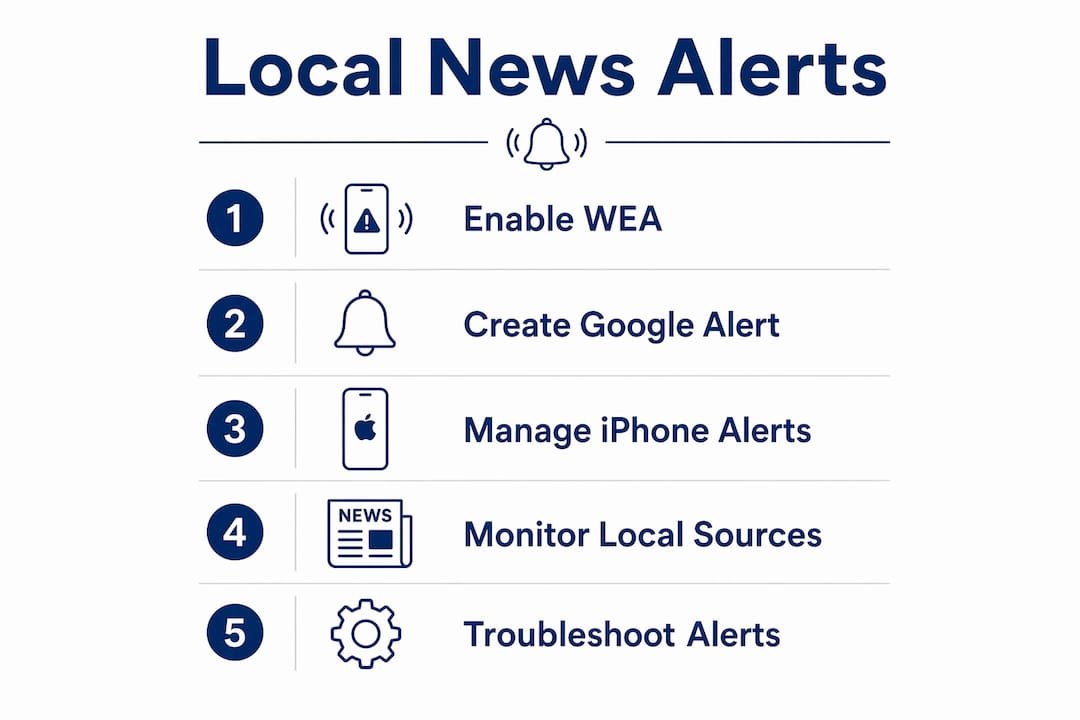
Enabling Wireless Emergency Alerts and creating one targeted Google Alert are the two fastest steps to receive timely local news and emergency notifications for your U.S. community.
| Point | Details |
|---|---|
| Enable WEA first | Check phone notification settings to confirm Emergency Alerts are active — no signup required. |
| Create one Google Alert | Use an exact-phrase local query at google.com/alerts and set frequency to match the topic’s urgency. |
| Tune Google News or Apple News | Add local city names and follow local publishers to receive push notifications on your device. |
| Sign up for county alert systems | Register at your county emergency management site to add email, landline, and secondary locations WEA cannot reach. |
| Thecentralgeorgian coverage | Subscribe at Thecentralgeorgian for direct local alerts and newsletters covering Central Georgia. |
Why local alerts matter more than most people realize
The conventional assumption is that a general news app will surface what matters locally. In practice, that assumption fails regularly. Algorithms optimize for engagement at scale, which means a city council vote affecting 40,000 residents in one county will consistently rank below a national story that generates more clicks. The gap between what an algorithm surfaces and what a community actually needs to know is where local newsrooms operate.
Automated alerts, properly configured, close that gap. A resident who has set a Google Alert for their school district’s board meetings, enabled county emergency notifications, and subscribed to a local newsroom’s newsletter is receiving a materially different information stream than someone relying on a national app’s default feed. The difference shows up most clearly during public safety events, zoning disputes, and school calendar changes — exactly the situations where timing matters.
Thecentralgeorgian’s reporting on civic news and public safety alerts reflects this principle. The newsroom monitors official local sources directly, not through aggregators, which is why its coverage of police operations and community advisories reaches readers before those items appear in broader feeds.
Thecentralgeorgian keeps Central Georgia residents informed
Thecentralgeorgian covers breaking news, public safety alerts, crime investigations, and community events across Macon, Middle Georgia, and surrounding areas. Unlike a national app that surfaces Central Georgia stories only when they trend, Thecentralgeorgian publishes local items as they develop, including school board decisions, law enforcement advisories, and public health notices that affect daily life in the region.
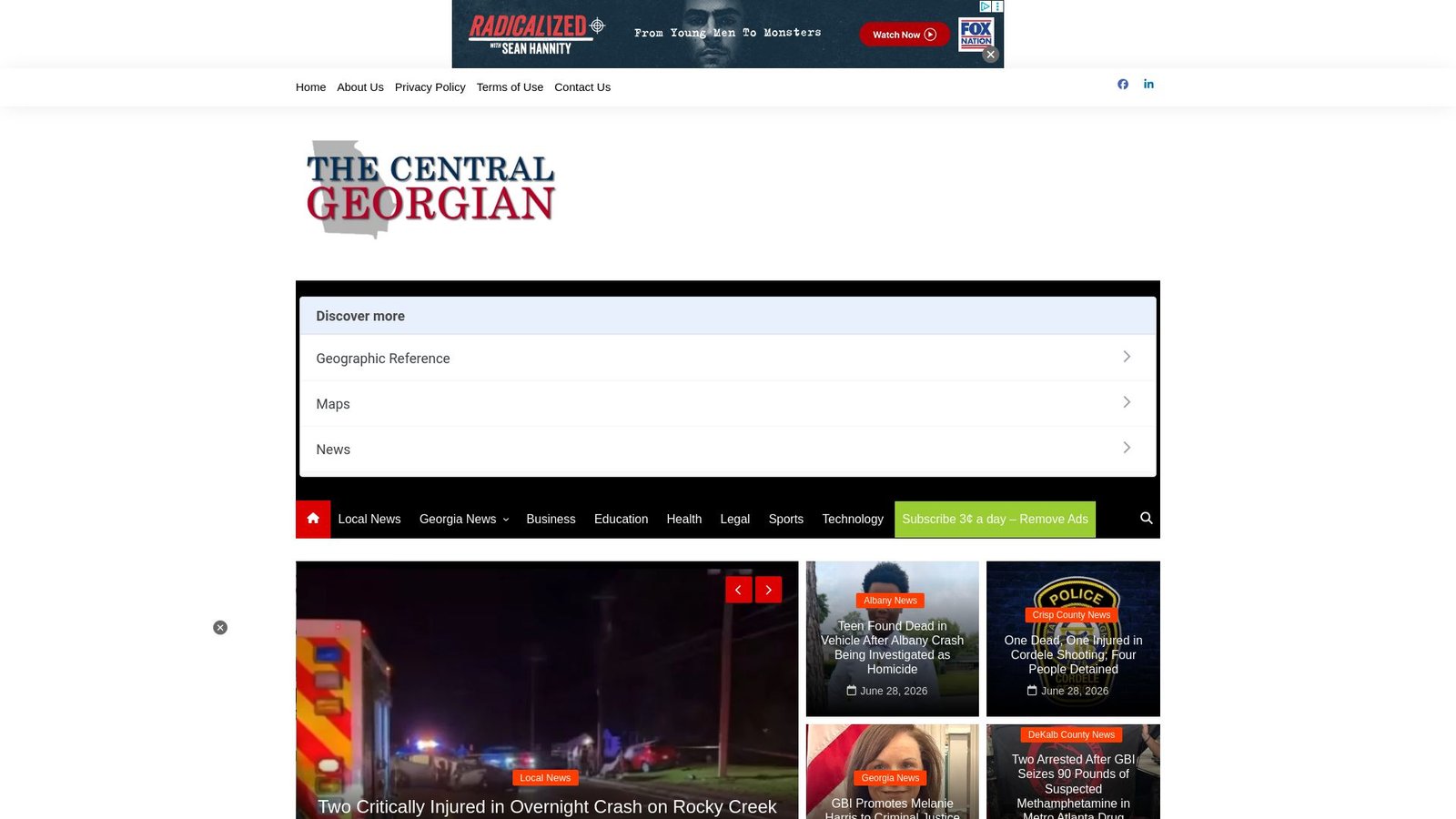
Readers who want direct delivery can subscribe to the Thecentralgeorgian newsletter for timely local updates without configuring a separate alert tool. The site’s local breaking news coverage and in-depth local journalism complement the alert setup steps in this guide. Visit thecentralgeorgian.com to subscribe and follow Central Georgia news directly from the source.
Official pages and tools to bookmark
Use the links below to complete your alert setup or verify settings on any device.
| Source | What it provides |
|---|---|
| google.com/alerts | Create, edit, and delete Google Alerts for local keywords |
| Google News notifications help | Step-by-step Android notification settings for Google News |
| Apple Support: News notifications | iPhone-specific steps for channel alerts and newsletters |
| OR-Alert (oralert.gov) | Oregon’s state emergency alert signup via Everbridge |
| weather.gov | NOAA local forecasts and weather alert subscriptions |
| Thecentralgeorgian.com | Central Georgia local news, newsletters, and alert subscriptions |
Direct links:
- Google Alerts — web keyword monitoring, free, delivers by email
- Google News notifications help (Android) — official support page for notification settings
- Apple Support: News notifications on iPhone — official guide for Apple News alerts and newsletters
- OR-Alert — Oregon state emergency alert system; find your state’s equivalent via your state emergency management agency
- Thecentralgeorgian.com — subscribe for Central Georgia local alerts and newsletters
This article provides general information about alert setup tools and services. Confirm current settings, availability, and privacy terms directly with each provider or your local emergency management agency for your specific situation.