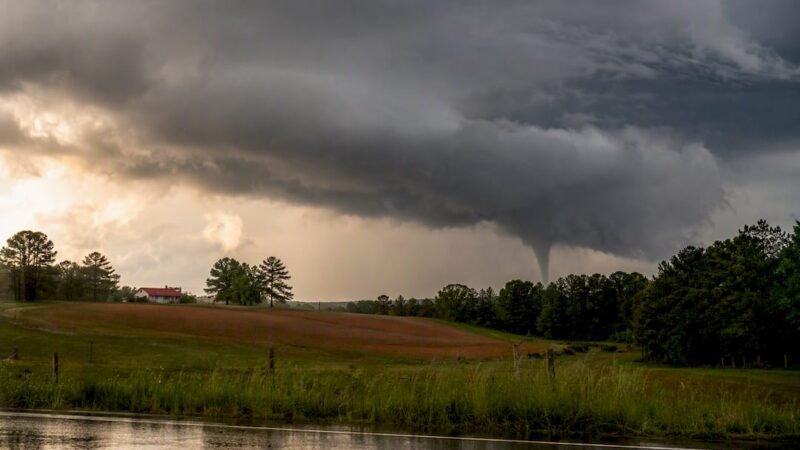
Monitor Local Weather Emergency Updates: A Resident’s Guide

The fastest way to monitor local weather emergency updates is to rely on three automatic federal channels: Wireless Emergency Alerts (WEA), the Emergency Alert System (EAS), and NOAA Weather Radio (NWR), all coordinated through FEMA’s Integrated Public Alert & Warning System (IPAWS). No single channel is sufficient on its own. Pair these with a local registry signup and a source like Thecentralgeorgian for ground-level context.
TL;DR: WEA reaches your phone automatically. EAS broadcasts over TV and radio. NOAA Weather Radio works when everything else fails. Register locally for shelter and road details. Follow Thecentralgeorgian for Central Georgia specifics.
Three steps to complete right now:
- Step 1: Open your phone settings and confirm Emergency Alerts are enabled (both “Extreme” and “Severe” threats).
- Step 2: Download the FEMA app or the Red Cross Emergency app and enable location-based notifications.
- Step 3: Visit your county or city emergency management website and register for the local alert list.
Table of Contents
- Who issues emergency weather alerts in the United States?
- How do you get local weather emergency alerts on your phone?
- What do different alert types mean, and what should you do?
- How do you make your alert setup resilient when power or internet fails?
- Which sources and apps should you follow for real-time local alerts?
- How does local journalism complement official weather alerts?
- Key Takeaways
- Why local alerting deserves more attention than most residents give it
- Stay informed with Thecentralgeorgian’s local weather coverage
- Official sources to bookmark for live local alerts
Who issues emergency weather alerts in the United States?
Three national pathways carry official emergency weather notifications to U.S. residents, and all three connect through FEMA’s IPAWS network.
Wireless Emergency Alerts (WEA) are broadcast directly from cell towers to compatible phones in the warning area. WEA messages require no registration and arrive automatically. They are intentionally short, designed for immediate life-safety action, not detailed instructions. A tornado warning WEA, for example, tells you to take cover now. It does not tell you which shelter is open or which roads are closed.
The Emergency Alert System (EAS) interrupts broadcast television and radio with official warnings. Local TV and radio stations are required to carry these alerts. EAS reaches residents who are not near a phone, including elderly residents and those in vehicles.
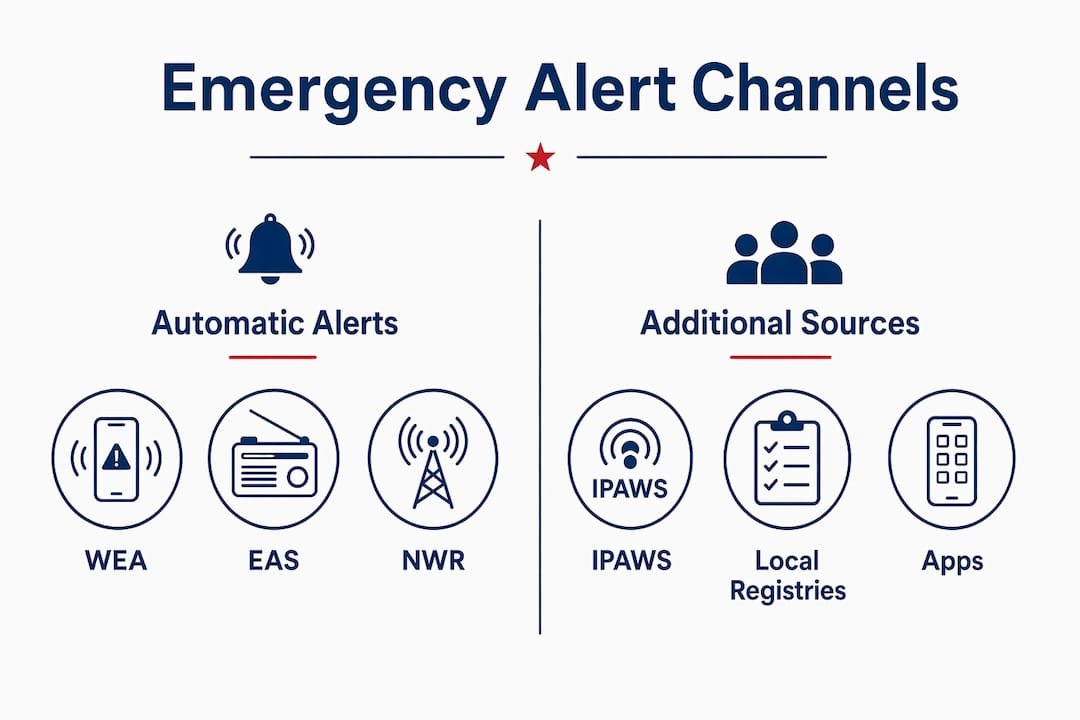
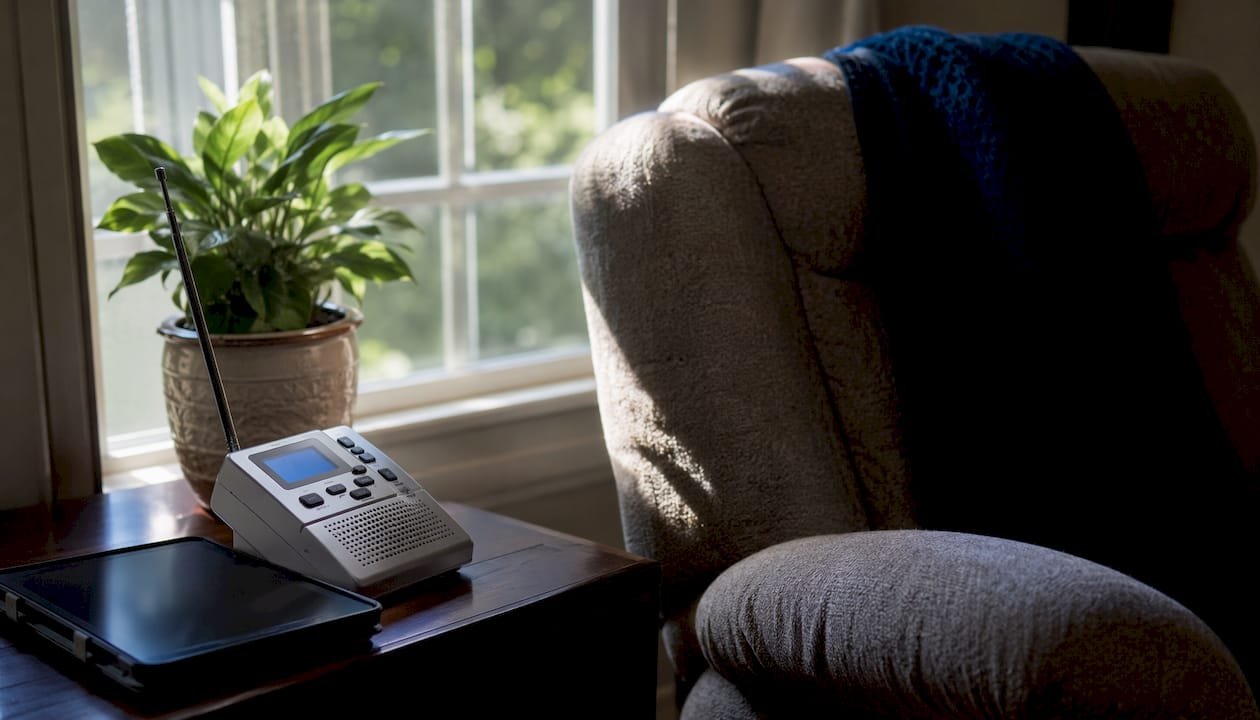
NOAA Weather Radio (NWR) broadcasts continuous weather information from National Weather Service (NWS) offices 24 hours a day. A dedicated NWR receiver picks up alerts even when cellular networks and internet connections are unavailable.
IPAWS allows more than 2,000 federal, state, local, tribal, and territorial alerting authorities to send authenticated messages through all three channels simultaneously from a single submission.
| Channel | Delivery Method | Registration Required | Best Use Case |
|---|---|---|---|
| WEA | Cell tower broadcast | No | Immediate life-safety warnings |
| EAS | Broadcast TV and radio | No | Alerts for residents without phones |
| NOAA Weather Radio | Dedicated radio receiver | No | Backup during power and internet outages |
| Local registry | SMS, email, or app | Yes | Shelter locations, road closures, localized details |
How do you get local weather emergency alerts on your phone?
Setting up alerts correctly takes less than ten minutes. The steps below cover both major mobile platforms, official apps, and local registry signups.
iOS setup
- Open Settings and tap Notifications.
- Scroll to the bottom and select Government Alerts.
- Enable Emergency Alerts, Extreme Threats, and Severe Threats.
- Enable AMBER Alerts if not already active.
Android setup
- Open Settings and search for Safety & emergency (the label varies slightly by manufacturer).
- Tap Wireless emergency alerts.
- Enable Extreme threats and Severe threats.
- Enable Public safety messages for non-life-threatening advisories.
Official apps to install
- FEMA App: Provides real-time NWS alerts for up to five locations, shelter maps, and preparedness checklists. Free on iOS and Android.
- Red Cross Emergency App: Delivers official NOAA alerts, live maps, shelter-finder features, and preparedness guides. Set alerts for both your home address and your workplace.
- NWS Active Alerts (weather.gov/alerts): Not an app, but bookmark this page on your phone’s browser. It shows current warnings, watches, and advisories by county.
Local registry signup
Visit your county or city emergency management website and look for a notification system signup. Most registries ask for a name, phone number, email address, and home ZIP code. Some accept multiple addresses, which is useful for parents who want alerts tied to a child’s school location. Public safety agencies encourage these signups specifically because WEA cannot deliver shelter locations or localized instructions.
Pro Tip: After completing your setup, navigate to weather.gov/alerts and search your county. If active alerts appear and match what you know about current conditions, your monitoring chain is working. Do this during calm weather so you are not troubleshooting during an emergency.
What do different alert types mean, and what should you do?
Understanding the three standard NWS alert categories prevents delayed or incorrect responses.
- Watch: Conditions are favorable for a hazardous weather event. A tornado watch, for example, means the atmosphere supports tornado development. Action: Prepare. Locate your shelter area, charge devices, and monitor updates.
- Warning: A hazardous event is occurring or imminent. A tornado warning means a tornado has been detected by radar or a trained spotter. Action: Take shelter immediately. Do not wait for additional confirmation.
- Advisory: Conditions are less severe but could still cause inconvenience or danger. A winter weather advisory may indicate slippery roads. Action: Adjust plans and exercise caution.
WEA messages are tied to warnings, not watches or advisories. When your phone sounds the WEA alert tone, the situation has already reached the warning threshold. The NWS and FEMA are explicit that WEA is for immediate life-safety action. After receiving a WEA, go to NWS Active Alerts or your local news source for fuller details.
Example WEA text for a tornado warning:
That message tells you what to do but not where the nearest shelter is, whether schools are releasing early, or which roads are impassable. That information comes from local registries and local news.
One technical note: WEA messages broadcast from cell towers can occasionally reach phones just outside the warning polygon, depending on tower coverage ranges. If you receive a WEA alert while traveling and are unsure whether it applies to your current location, check NWS Active Alerts immediately to confirm the affected area.
How do you make your alert setup resilient when power or internet fails?
A single-channel alert setup fails at the worst possible moment. Layered redundancy is the standard recommended approach.
- Battery-operated NOAA Weather Radio: A dedicated NWR receiver continues broadcasting authoritative NWS information when cellular networks are congested, power is out, and internet is unavailable. Purchase a model with a battery backup and a tone-alert feature that activates automatically when a warning is issued for your area.
- Local AM/FM radio: Most local stations carry EAS alerts and provide continuous coverage during major weather events. Keep a battery-powered or hand-crank radio in your emergency kit.
- Landline or VOIP alerts: Some county registries call landlines in addition to sending texts. If you have a landline, confirm it is registered with your county system.
- Printed family plan: Write down the alert channels your household monitors, the location of your shelter area, and the address of the nearest public shelter. Post it where all household members can see it.
WEA has an advantage during network congestion. Because WEA uses a broadcast method from cell towers rather than standard two-way cellular data, it can reach devices even when calls and texts are failing. That said, WEA is not a substitute for a battery NOAA radio during a prolonged outage.
Pro Tip: Schedule a quarterly five-minute check: verify your phone emergency alert settings are still enabled, confirm your local registry email or SMS is active, and check NWS Active Alerts for your county. Settings can reset after a phone software update, and registry subscriptions occasionally expire.
Which sources and apps should you follow for real-time local alerts?
The most reliable monitoring setup combines official government sources with one or two well-configured apps.
Must-follow official sources
- NWS Active Alerts (weather.gov/alerts): The primary source for current warnings, watches, and advisories by county. Bookmark it and check it whenever conditions deteriorate.
- FEMA/IPAWS resources (fema.gov): Background on how the alert system works and links to local alerting authorities.
- NOAA Weather Radio: Continuous broadcast from your regional NWS office. No internet required.
- Georgia Emergency Management and Homeland Security Agency (GEMA/HS): Georgia residents can visit gema.georgia.gov for state-level alerts and local emergency management contacts.
Recommended apps
| App | Alert Source | Key Feature |
|---|---|---|
| FEMA App | NWS via IPAWS | Alerts for up to five saved locations |
| Red Cross Emergency App | NOAA/NWS | Shelter finder, preparedness checklists |
| NWS Mobile (weather.gov) | NWS directly | County-level alert polygons, hourly forecasts |
Private weather apps that push NWS-sourced alerts are acceptable supplements, but confirm in the app’s settings that alerts are sourced from official NWS or IPAWS feeds. Configure granular notifications: enable warnings and watches for your county, and disable promotional or non-safety notifications to reduce alert fatigue.
A practical monitoring stack for Central Georgia residents: automatic WEA on your phone, a battery NOAA Weather Radio at home, the FEMA or Red Cross app for location-based updates, and Thecentralgeorgian for local context and follow-up reporting.
How does local journalism complement official weather alerts?
Official alerts tell residents that a threat exists. Local journalism tells them what that threat means for their specific neighborhood, school, or commute.
Thecentralgeorgian covers Central Georgia weather emergencies by verifying official NWS and GEMA/HS alerts, then translating them into locally relevant reporting. That includes identifying which roads are closed, which shelters are open, whether Macon-area schools are dismissing early, and what resources are available to affected residents. Official WEA messages cannot carry that level of detail. Local registries supply some of it, but a newsroom can verify, update, and correct information in real time.
Readers can follow Thecentralgeorgian through several channels:
- Site push notifications: Enable browser notifications at thecentralgeorgian.com to receive breaking news alerts directly.
- Email newsletter: Subscribe for regular updates that include weather-related coverage and public safety advisories.
- Social media channels: Follow Thecentralgeorgian on social platforms for real-time posts during active weather events.
The benefits of following local news during an emergency extend beyond weather. A local outlet tracks the full arc of an event: the initial warning, the active emergency, and the recovery period, including utility restoration timelines and community assistance programs that official alerts never address.
Key Takeaways
The most reliable way to monitor local weather emergency updates is to combine automatic WEA alerts on your phone with a battery NOAA Weather Radio and a local news source for ground-level context.
| Point | Details |
|---|---|
| WEA is automatic | No signup is needed; confirm Emergency Alerts are enabled in your phone settings. |
| Register locally for details | County alert registries provide shelter locations and road closures that WEA cannot deliver. |
| Keep a NOAA Weather Radio | A battery-operated receiver works when power, internet, and cellular networks fail. |
| Know your alert types | A watch means prepare; a warning means act immediately; an advisory means use caution. |
| Follow Thecentralgeorgian | Local reporting adds shelter locations, school closures, and recovery details after official alerts. |
Why local alerting deserves more attention than most residents give it
Most residents assume that a WEA alert on their phone is enough. It is not, and the gap between what WEA delivers and what residents actually need during an emergency is where people make poor decisions.
WEA is a remarkable system. It reaches compatible phones without any registration, works during network congestion, and delivers a life-safety message within seconds of an official warning. Those are genuine strengths. The problem is that WEA was designed to be a trigger, not a briefing. It tells you a tornado warning is in effect until 7:45 PM. It does not tell you the storm is tracking northeast toward your neighborhood, that the shelter at the community center is open, or that the highway you planned to use for evacuation is already flooded.
Residents who treat WEA as their only alert channel are prepared for the first thirty seconds of an emergency. The next several hours require local registries, a NOAA Weather Radio, and a local news source that has reporters on the ground or on the phone with emergency managers.
The other underestimated gap is testing. Most people have never verified that their phone will actually receive a WEA alert. Settings reset after software updates. Local registry subscriptions expire. A five-minute quarterly check, as described earlier in this article, is the single highest-return preparedness action most residents are not taking.
Official systems are authoritative and fast. Local journalism is specific and sustained. Neither replaces the other.
Stay informed with Thecentralgeorgian’s local weather coverage
When a severe weather warning hits Central Georgia, official alerts give you the signal. Thecentralgeorgian gives you the story behind it.
Subscribers to Thecentralgeorgian receive timely local coverage that goes beyond the initial alert: verified shelter locations, school closure announcements, road condition updates, and follow-up reporting on recovery efforts. The newsroom monitors official NWS and GEMA/HS channels and publishes locally relevant details as conditions develop. That is the information that helps residents make decisions, not just react to a tone on their phone.
Visit thecentralgeorgian.com to enable push notifications, subscribe to the email newsletter, or follow the outlet’s social channels. For a deeper look at how the newsroom approaches community coverage, see the guide to longform local journalism and what it means for residents who rely on accurate, sustained reporting during and after emergencies.
Official sources to bookmark for live local alerts
Save these sources now, before the next weather event.
- NWS Active Alerts: Current warnings, watches, and advisories searchable by county. The first place to check after receiving a WEA. Best for: verifying alert details and confirming the affected area.
- FEMA/IPAWS Overview: Explains how the national alert system works and links to local alerting authorities. Best for: understanding which agencies can send alerts in your area.
- NOAA Weather Radio: Tune to your regional NWS frequency for continuous broadcasts. Best for: backup during outages when no other channel is available.
- Georgia Emergency Management and Homeland Security Agency: State-level alerts, local emergency management contacts, and preparedness resources for Georgia residents. Best for: state-specific guidance and connecting with county emergency managers.
- FEMA App (iOS/Android): Free app with NWS alerts for up to five saved locations. Best for: monitoring alerts for home, work, and family members’ locations simultaneously.
- Red Cross Emergency App (iOS/Android): Delivers NOAA alerts with a built-in shelter finder. Best for: locating open shelters during an active emergency.
- Your county emergency management website: Search “[your county name] emergency management Georgia” to find the local registry signup. Best for: receiving shelter addresses, road closures, and localized instructions that no national system provides.
| Source | Best For | Registration |
|---|---|---|
| NWS Active Alerts | Verifying current warnings by county | None |
| FEMA App | Multi-location alert monitoring | Optional account |
| Red Cross Emergency App | Shelter finder during active events | None required |
| GEMA/HS | Georgia state-level guidance | None |
| County alert registry | Localized shelter and road details | Required |
Sign up for your county’s alert registry today and bookmark weather.gov/alerts for your county. Those two actions, combined with the phone settings and app setup described earlier, form the foundation of a reliable local weather alert system.