How to Stay Updated on Road Closure Alerts in Central Georgia
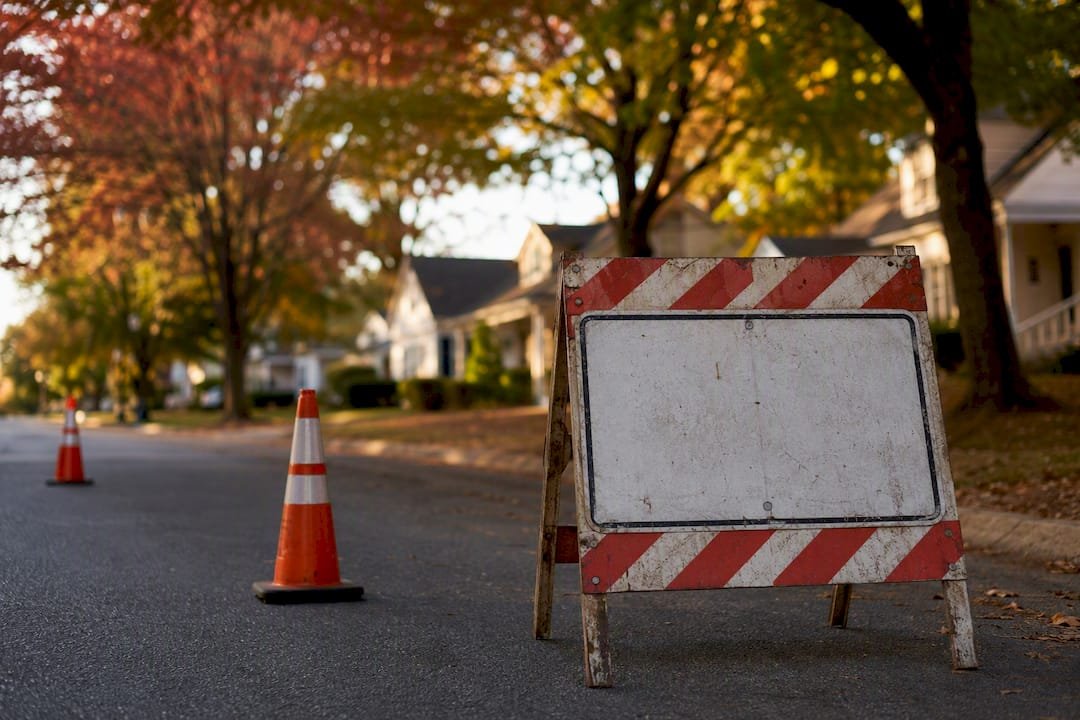
Enable push notifications through The Central Georgian’s website or app and follow the live breaking-news feed. That combination delivers the fastest road-closure alerts in Central Georgia, ahead of email digests or scheduled roundups.
Push alerts arrive the moment a reporter confirms a closure with police, the county Alert Center, or GDOT, often within minutes of the incident. Email and RSS updates are useful for planning ahead but carry a delay, so they should supplement, not replace, push notifications during an active event.
- Enable push notifications on The Central Georgian’s website or mobile browser
- Follow The Central Georgian’s social accounts for real-time posts
- Bookmark the live breaking-news feed for continuous monitoring
Reporting and verification on closure alerts are handled by Ernie, and every post carries The Central Georgian’s newsroom byline and timestamp so readers know exactly where the information came from and when it was published.
Key Takeaways
The fastest, most reliable way to stay updated on road closure alerts in Central Georgia is combining The Central Georgian’s push notifications with its live feed, verified by named sources and timestamps.
| Point | Details |
|---|---|
| Push notifications lead | Enable them for the fastest delivery of urgent, confirmed closure alerts. |
| Layer multiple channels | Combine push, social, and email so no single platform failure causes a missed alert. |
| Read the core fields | Location, closure type, duration, source, and timestamp tell you everything you need. |
| Verify before you drive | Cross-check high-stakes closures with 511GA or your county Alert Center. |
| The Central Georgian delivers context | It pairs official confirmation with neighborhood-level detail through named, timestamped reporting. |
Table of Contents
- Which channels does The Central Georgian use, and how fast is each one?
- How do you set up alerts on each channel?
- What information does a road closure alert actually include?
- How does The Central Georgian verify closure reports?
- What should you actually do when you get a closure alert?
- Why subscribe to The Central Georgian for ongoing closure coverage
- Sources
Which channels does The Central Georgian use, and how fast is each one?
Not every alert channel moves at the same speed, and knowing the difference matters when a road closes near your commute. The Central Georgian runs a breaking-alert banner on its homepage, mobile push notifications, active social accounts, and email or RSS delivery, each suited to a different kind of update.
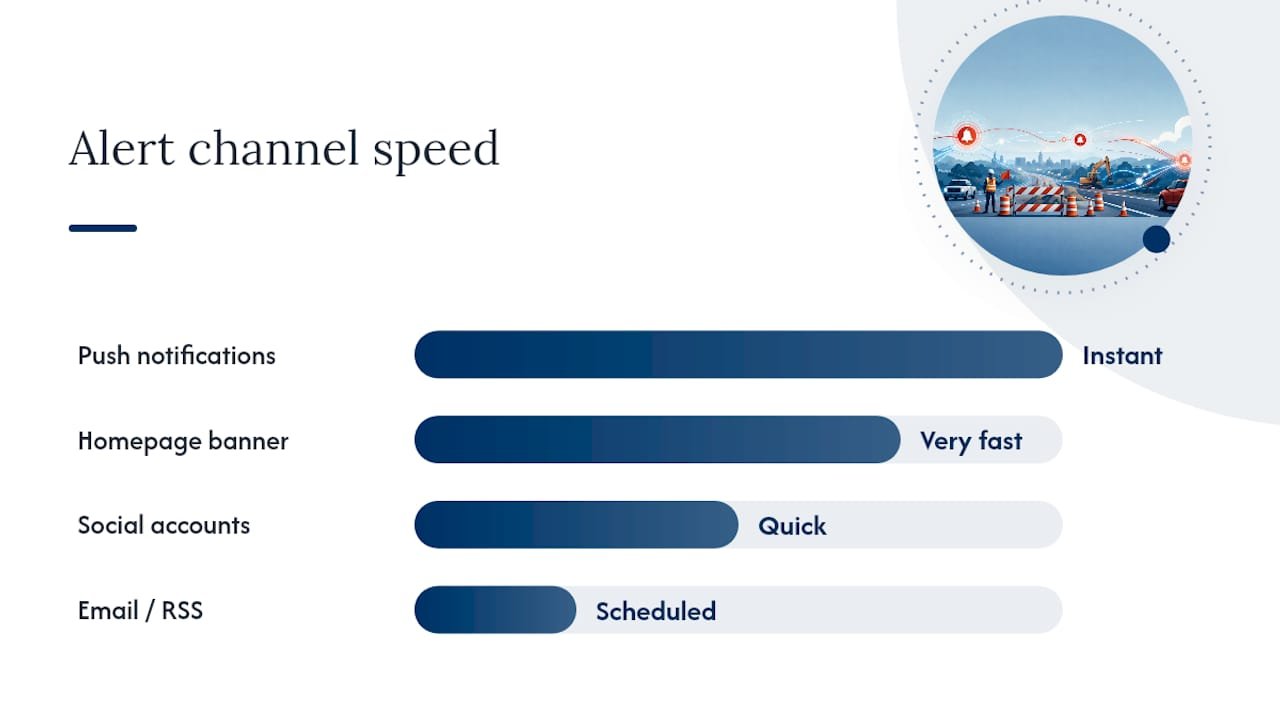
The website’s breaking-alert banner posts within minutes of confirmation but requires you to be actively browsing the site to notice it right away. Mobile push notifications solve that gap. They land on your lock screen the instant a story publishes, making them the fastest option for a closure that affects your route home tonight.
Social accounts on platforms like X and Facebook post quickly too, though detail can vary from post to post, and your feed’s algorithm may bury an update among unrelated content. Email and RSS work best for summaries and less time-sensitive updates, like a planned lane closure scheduled for next month.
- Push notifications: fastest, best for active closures
- Website banner: fast, but requires you to check the site
- Social accounts: quick, but detail and visibility vary
- Email/RSS: reliable for planned or scheduled updates
A 2026 survey found that local news is often the most trusted source during a road crisis, because it provides specific, contextual detail that generic navigation apps typically skip. Statewide tools like 511GA and county Alert Center pages complement this coverage with official road-condition data, but they don’t replace the neighborhood-level detail a local reporter provides.
How do you set up alerts on each channel?
Setting up a reliable alert system takes about five minutes, and combining channels is the single best way to avoid missing an urgent closure.
- Allow browser or site push notifications. When you visit The Central Georgian, click “allow” when the browser prompts you for notification permission, or find the bell icon in your browser’s site settings if you missed the prompt.
- Subscribe to email alerts. Enter your email on The Central Georgian’s main site and choose a frequency that fits your routine. Daily digests work for general awareness, but during severe weather season, opt for immediate alerts instead.
- Follow social accounts and turn on post notifications. After following The Central Georgian on your preferred platform, tap the notification bell on the profile so urgent posts reach you directly instead of getting lost in a scrolling feed.
- Bookmark or subscribe to the RSS feed. This works well if you check road conditions at set times, like before your morning commute, rather than waiting for a push.
- Layer at least two channels. Push notifications plus one backup, either social or email, gives you redundancy if one platform has a delay or your phone’s notification settings get reset.
For a walkthrough with screenshots, see our step-by-step mobile setup guide or the full alert checklist built specifically for Central Georgia residents.
Pro Tip: Check your phone’s notification settings monthly. Software updates sometimes silently reset app permissions, and you won’t know your push alerts stopped working until you miss one.
What information does a road closure alert actually include?
A properly reported closure alert answers five questions before you ask them: where, what kind, how long, what to do instead, and who confirmed it. The Central Georgian’s posts include the exact road or intersection, whether the closure is full or partial, an estimated reopening time (or a clear note that it’s still unknown), any posted detour, and the named source with a timestamp.
Language matters here. “Confirmed” means police or GDOT verified it directly. “Under investigation” means the cause is still unclear, even if the road is definitely closed. “Detour posted” means an official alternate route exists, not just a suggestion. Update-history notes tell you when a post was last revised, so you’re not acting on stale information.
- Location: exact road or intersection name
- Closure type: full closure or partial/lane restriction
- Duration: estimated reopening or “unknown at this time”
- Source and timestamp: who confirmed it, and when
A concise alert might read: “Full closure, Log Cabin Rd at Bass Rd, crash investigation, GDOT on scene, 7:42 a.m.” An expanded follow-up adds detour routing and an updated timestamp once police confirm a reopening window, similar to how regional outlets track developing closure stories.
How does The Central Georgian verify closure reports?
Every closure alert goes through a verification step before it publishes, and readers benefit from knowing what that process looks like. Reporters cite an official agency first, whether that’s local police, a county Alert Center, or GDOT and 511GA, and confirm with a second independent source when time allows, such as an on-scene observation.
Hyperlocal newsrooms serve three public-safety roles: they verify official reports, amplify urgent life-safety messages like detours and shelter notices, and translate regional hazards into neighborhood-specific impact. That framework shapes how The Central Georgian handles every closure post.
- Look for a named source (police, Alert Center, GDOT)
- Check the timestamp and any update-history note
- Confirm the byline, typically Ernie for road and safety coverage
- Treat unconfirmed early reports as developing, not final
When a report can’t be confirmed immediately, the newsroom labels it as unconfirmed and updates the post as new information arrives rather than waiting to publish nothing. Our guide to reading local updates critically covers this in more depth.
What should you actually do when you get a closure alert?
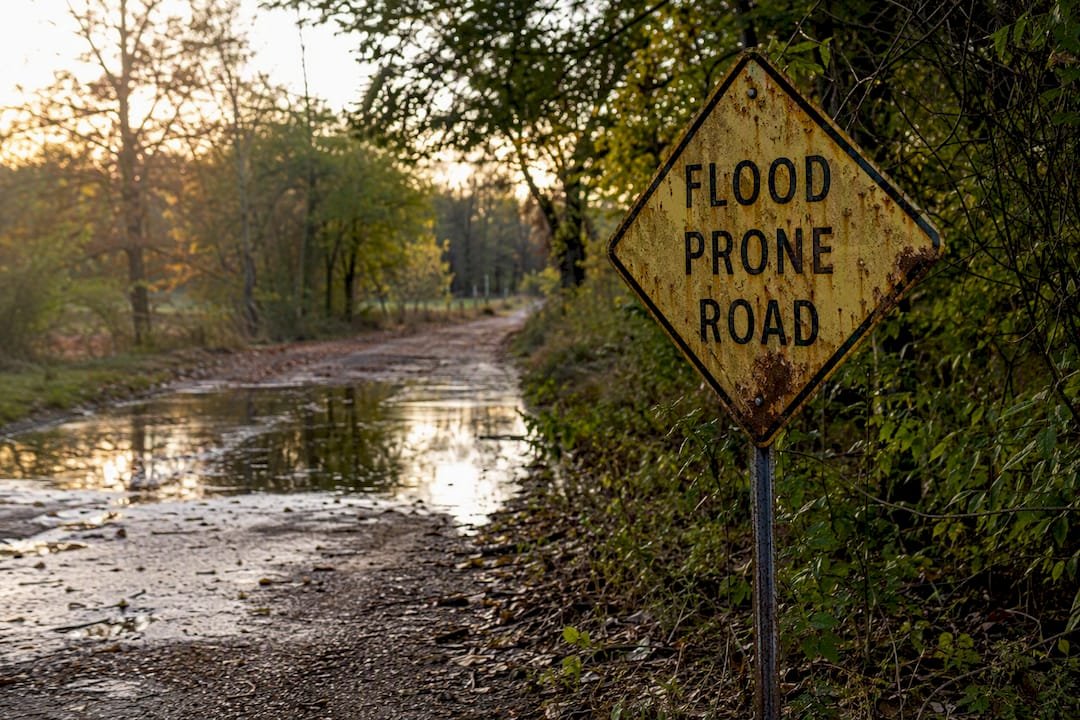
An alert only helps if you act on it correctly. Safety comes first: never drive around a barricade, and remember that floodwater on a Central Georgia road can hide washed-out pavement, so treat “Turn Around, Don’t Drown” as a hard rule, not a suggestion.
- Check whether the alert lists a posted detour; follow it if one exists.
- If no detour is listed, choose a major alternate route you already know rather than guessing through side streets.
- If neither option works, delay travel until an update posts.
- For high-stakes decisions, cross-check with 511GA or your county Alert Center, like Athens-Clarke County’s Alert Center, for official routing confirmation.
- If you see something the alert doesn’t mention, such as a closure spreading to a second lane, send that detail to the newsroom.
Pro Tip: Screenshot the alert before you start driving. Cell service gaps in some rural stretches of Central Georgia can cut you off from live updates right when you need them.
A note from Ernie on why local detail matters
Confirming a closure often means more than reading a press release. It means knowing which back road actually floods first, or which intersection has confused drivers for years. That local knowledge is why we verify on the ground whenever possible.
If you see a closure we haven’t covered yet, send a tip or a photo. Reader reports have shaped some of our fastest updates. Our editorial standards on timestamping and sourcing apply to every post, no matter how it reaches us first.
Why subscribe to The Central Georgian for ongoing closure coverage
Statewide tools tell you a road is closed. The Central Georgian tells you why, for how long, and what it means for your specific neighborhood, backed by a named reporter and a verified source every time. That’s the gap a general traffic app can’t fill, and it’s the reason research on media’s role in road safety links stronger local coverage to better safety outcomes.
Subscribing takes under a minute. Head to The Central Georgian’s homepage and enable push notifications, sign up for email alerts, or follow our social accounts, whichever fits how you already check the news. For a broader sense of how our public-safety coverage works day to day, our piece on community safety awareness is worth a read too. Once you’re set up, you’ll get the same verified, timestamped alerts that Central Georgia drivers already rely on every morning.
Sources
- The road emergency gap: What drivers need vs. what cities deliver | Stacker / Daily Gazette
- How hyperlocal newsrooms can become the most trusted voice in their communities
- 511GA — statewide traffic, road conditions, and incident updates
- The role of news media in reducing traffic accidents (MDPI)